用 Claude Code、NotebookLM 和 Obsidian 搭研究工作流
一套 30 分钟能搭好的研究工作流:Claude Code 负责执行,NotebookLM 负责分析,Obsidian 负责沉淀。
很多人的研究方式还是手工活:开十几个标签页,看视频,读文章,把笔记丢到某个地方。一个小时过去,信息堆了一堆,但很难继续使用。
可以换成一条自动化流水线。
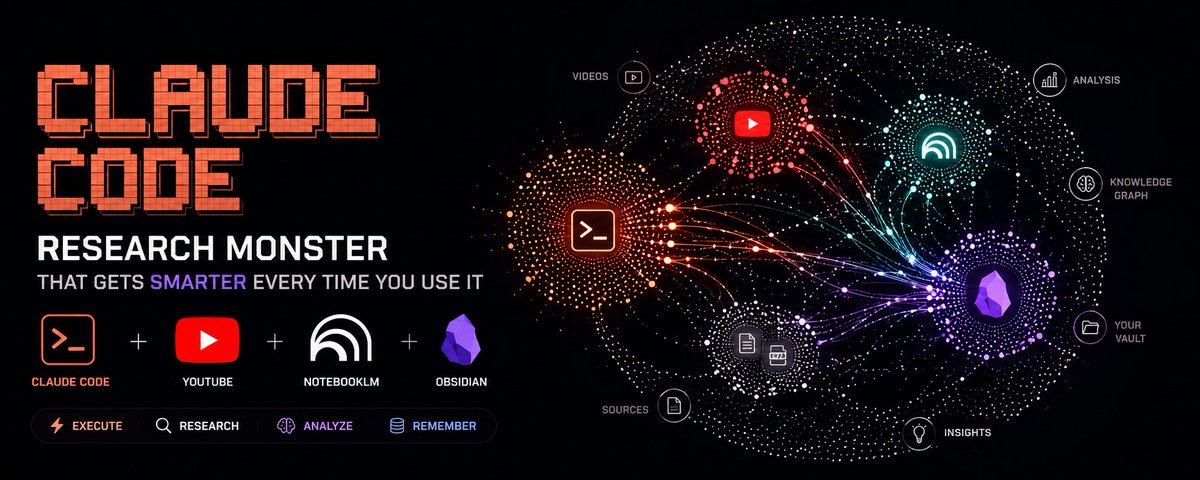
这套流程用 Claude Code 、 NotebookLM 和 Obsidian 做一个研究系统。它可以处理市场动态、新技术、加密生态、内容赛道等主题,而且用得越多,沉淀越多,后续输出会更贴近自己的工作方式。
搭建时间大约 30 分钟。
这套工具栈怎么分工
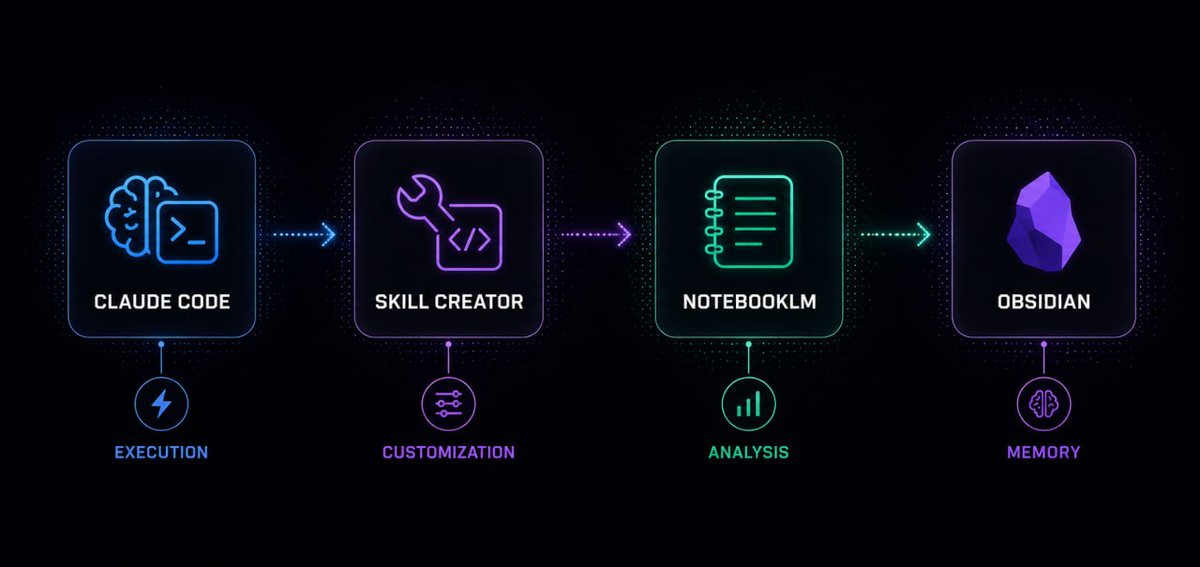
四个工具分别处理不同层的问题:
- Claude Code:执行层。负责运行命令、调用技能、管理文件,并把整条流程串起来。你用自然语言交代任务,它去执行。
- Skill Creator:定制层。它是 Claude Code 的插件,可以用自然语言生成可复用技能。你描述要什么,它生成代码并安装技能,不需要自己写程序。
- NotebookLM:分析层。 Google 的 AI 研究工具,可以读取资料,生成深度分析、摘要、信息图、闪卡、播客脚本等。 Claude Code 把处理任务交给 NotebookLM 时,用的是 Google 侧的计算,不消耗 Claude token 。
- Obsidian:记忆层。一个基于本地 Markdown 的知识系统,用来保存流程生成的所有结果。时间长了,Claude Code 可以读取这些文件,理解你的关注点、分析偏好和输出格式。
组合起来,就是一个能按命令执行、能大规模分析、还能持续积累的研究系统。
第一步:安装 Skill Creator
打开 Claude Code,并确认当前目录位于你的 Obsidian vault 文件夹里。这个位置很重要,因为后面 Claude Code 生成的文件需要被 Obsidian 直接识别。
在 Claude Code 里运行:
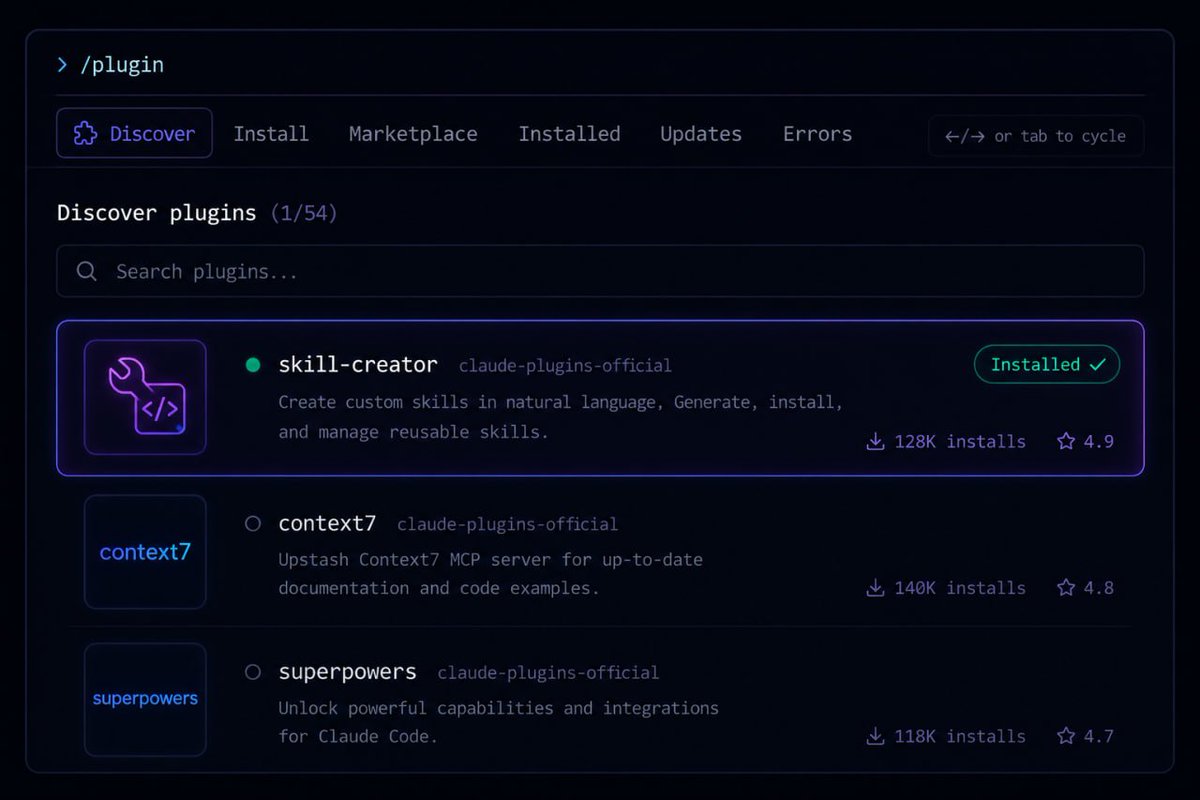
/plugin
搜索 skill-creator,安装它。然后退出 Claude Code,再重新启动 Claude Code 。
完成后,你就可以用自然语言创建各种技能。
第二步:创建 YouTube 搜索技能
这个技能负责让 Claude Code 搜索 YouTube,并拉取结构化视频数据,包括标题、频道、订阅数、播放量、发布日期、链接和互动比例。
在 Claude Code 里运行下面这段:
/skill-creator I want to create a skill that searches
YouTube and returns structured video results.
It should use yt-dlp to search for videos by query,
return the top 20 results by default, and include
metadata for each video - title, channel name, subscriber
count, view count, duration, upload date, and URL.
It should filter to the last 6 months by default but support
a --months flag to change that.
It should also calculate a views-to-subscribers
ratio as an engagement metric.
The output should be nicely formatted with
dividers between each result and human-readable numbers.
Claude Code 会生成并安装这个技能。之后你会得到一个 /yt-search 命令。
注意:本机需要安装 yt-dlp。
第三步:安装 NotebookLM-py
NotebookLM 没有公开 API 。要让 Claude Code 调用 NotebookLM,可以用开源项目 notebooklm-py。
仓库地址:github.com/teng-lin/notebooklm-py
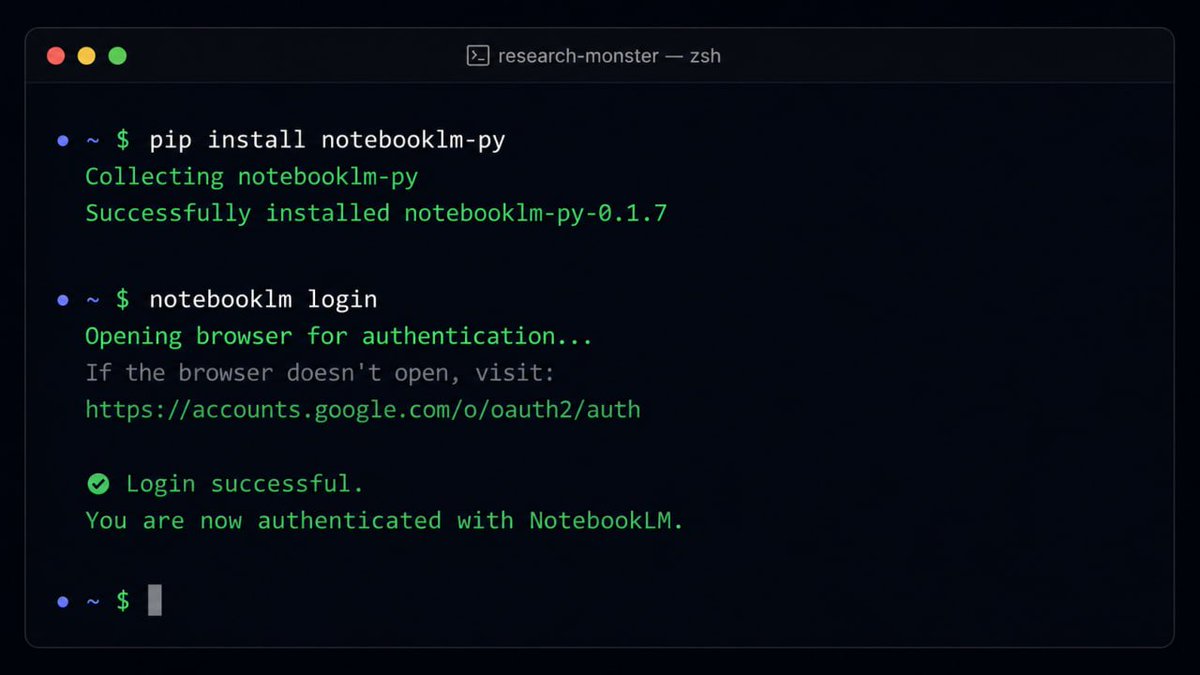
在普通终端里运行,不要放在 Claude Code 内部:
pip install notebooklm-py
然后认证:
notebooklm login
浏览器会打开登录页。登录 Google 账号后,连接就建立好了。
第四步:创建 NotebookLM 技能
接下来要让 Claude Code 学会怎么使用 notebooklm-py。在 Claude Code 里运行:
/skill-creator create a skill so we can best use the
notebooklm-py tool. Reference the GitHub repo at
github. com/teng-lin/notebooklm-py and build
a skill that can: create new notebooks, add sources
(YouTube URLs, text, files), run analysis on those sources,
and generate deliverables including audio overview,
mindmap, flashcards, and infographic.
这会给 Claude Code 增加一个完整的 NotebookLM 技能,覆盖 NotebookLM 支持的主要动作:创建 notebook 、添加来源、运行分析,以及生成信息图、思维导图、音频概览、闪卡等交付物。
第五步:把所有环节合成一个流水线技能
到这一步,流程开始真正可用。
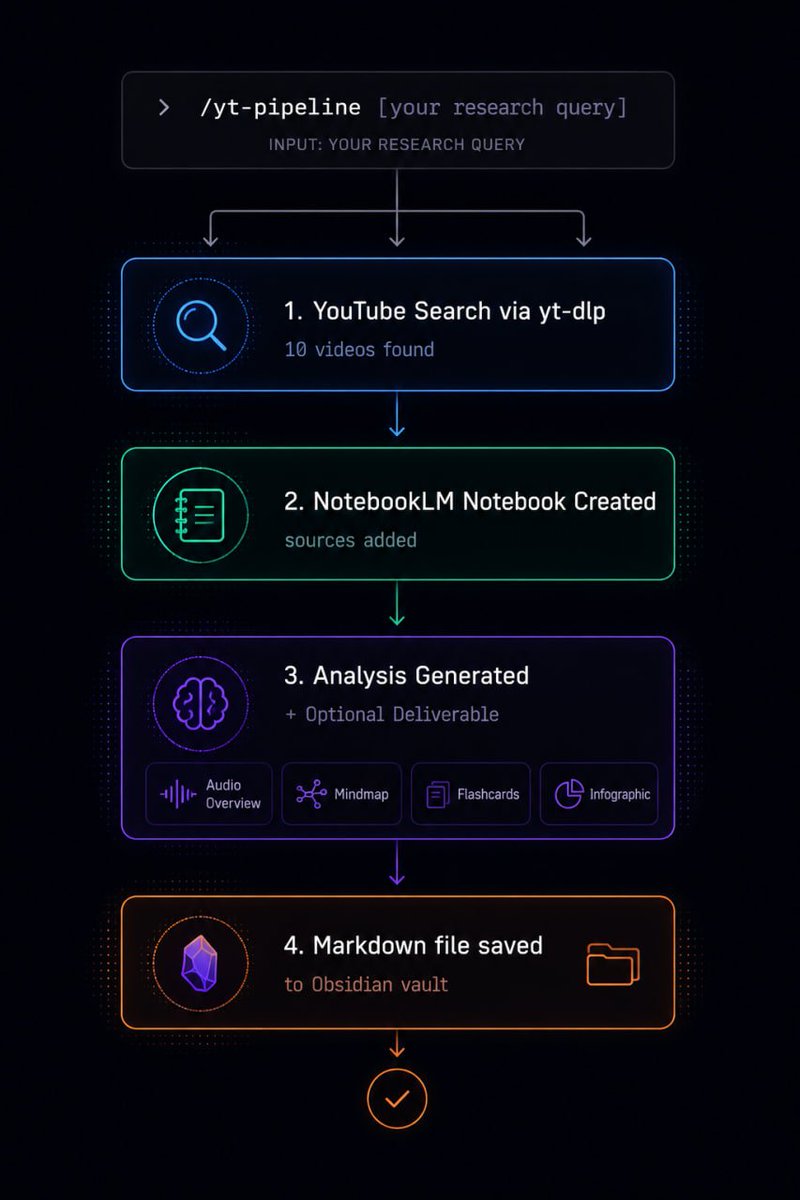
不用手动搜索 YouTube 、再把结果发给 NotebookLM 、再单独请求分析。可以把这些步骤合成一个命令:搜索、建 notebook 、加入来源、分析、生成结果、保存到 Obsidian 。
在 Claude Code 里运行:
/skill-creator I want to create a YouTube research pipeline
skill that combines the yt-search skill and the
NotebookLM skill. When I use this pipeline skill I want
it to: take what I told it to research, go to YouTube and
find 10 relevant videos using the yt-search skill, use
the NotebookLM skill to create a new notebook,
add those video sources to the notebook, then do
analysis on the topic based on what I said when
I invoked the skill. Furthermore ask me if I want
a deliverable - NotebookLM can create flashcards,
infographics, mindmaps, audio overviews.
If I don't specify a deliverable assume none.
After analysis bring everything back to me in a
 markdown file saved to the vault, and also show
it in chat. Include all YouTube search metadata
in the output - sources used, view counts,
channel names, engagement ratios.
实际运行一次
有了流水线技能后,一次研究任务可以这样发起:
/yt-pipeline I want to research AI agent frameworks in 2026.
Which frameworks are developers actually adopting -
- LangGraph, CrewAI, AutoGen, Agno, or something else?
I want to understand what's driving views on this topic,
where there's disagreement in the community,
what the outliers are, and what angles haven't been
covered well yet. Find 10 relevant sources,
push them to a new NotebookLM notebook,
run a full analysis, and generate an infographic
showing the landscape.
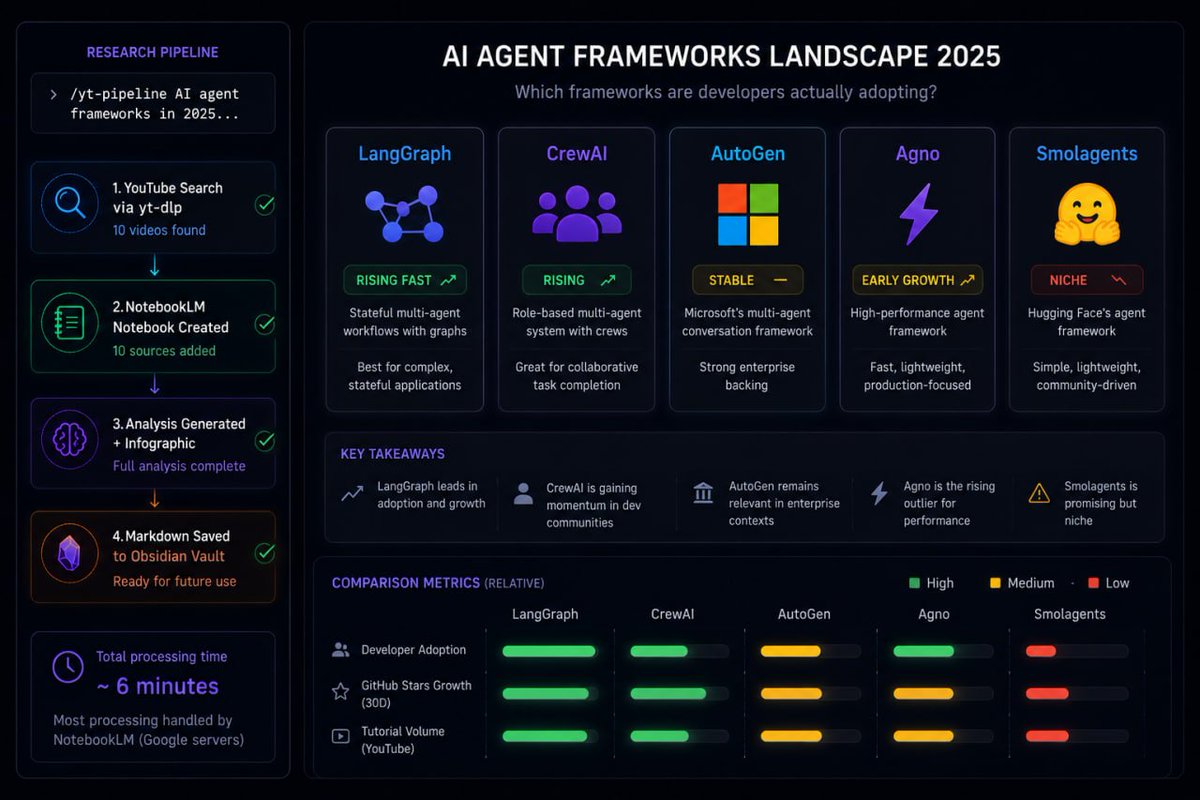
这个例子研究的是 2026 年 AI Agent 框架:哪些框架被开发者采用,哪些已经降温,现有内容还有哪些空白。
Claude Code 会调用 YouTube 搜索技能,找到 10 个相关视频,覆盖教程、对比和开发者观点。随后把链接交给 NotebookLM,创建 notebook,运行分析,并请求生成信息图。
总处理时间大约 6 分钟。其中大部分时间是 NotebookLM 在 Google 服务器上处理,不是 Claude token 消耗。
最后会得到三类结果:
- 一份完整分析,覆盖哪些框架在增长、哪些趋于平稳、开发者抱怨什么、哪些内容表现异常、还有哪些角度没被充分覆盖。
- 一张 AI Agent 框架生态信息图。
- 一个 Markdown 文件,直接保存进 Obsidian vault,结构化整理所有来源和分析,后续可以继续引用。
Obsidian 让它变成长期系统
前面的部分已经能完成一次性研究任务。 Obsidian 的作用,是把一次性任务变成持续积累。
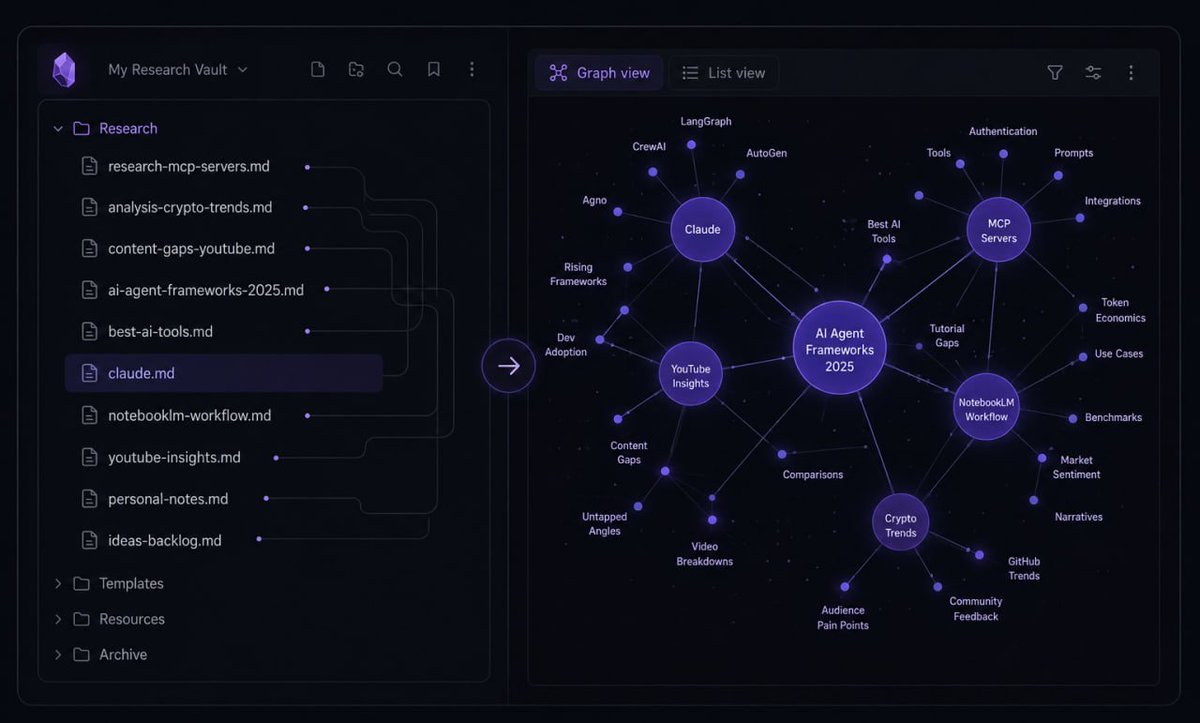
每次流程生成的 Markdown 文件都会进入 Obsidian vault 。时间长了,vault 会变成一个结构化研究语料库,包含你研究过的主题、来源、分析、模式和结论。
Claude Code 可以读取这些文件。它能看到文件之间的链接,也能理解你反复关注什么主题、哪类分析对你有用、你偏好的输出结构是什么。
vault 里的 claude.md 文件负责把这些偏好显式写下来。它是一个配置文件,用来告诉 Claude Code:你有哪些约定、输出偏好,以及希望它怎样配合你的工作方式。
可以这样更新它:
Can we update claude.md so it better reflects
my work style, analysis approach, and output
preferences based on our latest conversations?
Claude Code 会读取最近的会话,识别你的模式,然后更新这个文件。
每周做一次。一个月后,输出会更贴近你的实际偏好,不需要每次都写很长的提示词。一年后,如果一直这样使用,它会吸收大量研究记录,更像一个被你训练过的助手,而不是每次从零开始的工具。
这套结构可以换数据源
YouTube 不是重点,流水线结构才是重点。
只要 Claude Code 能访问,数据源可以替换成别的材料:
- PDF:论文、行业报告、白皮书。
- 公开网页:新闻、文档、博客。
- 本地文件:自己的笔记、导出的数据、转录文本。
- Google Drive:已有的文档和表格。
流程模板保持不变,只替换来源。
比如,用白皮书和公开文档研究一个加密生态;用会议演讲分析一个新技术;分析某个内容赛道里什么题材表现好;用公开报告研究市场动态。应用场景不同,但流水线、分析层和记忆层可以保持一致。
最后得到什么
最终得到的是一个研究系统:
- 一个命令就能执行完整研究流程。
- 把重分析交给 NotebookLM 的基础设施。
- 自动生成信息图、思维导图、音频、闪卡等结构化交付物。
- 每次结果都保存到本地知识库。
- 随着使用次数增加,逐渐贴合你的偏好。
这套 30 分钟配置,第一次完整跑通就能回本。